Connect and manage a Telegram bot
Create a new bot through Telegram approval or connect a bot you already own, then review its profile.
Create with CookMyBots
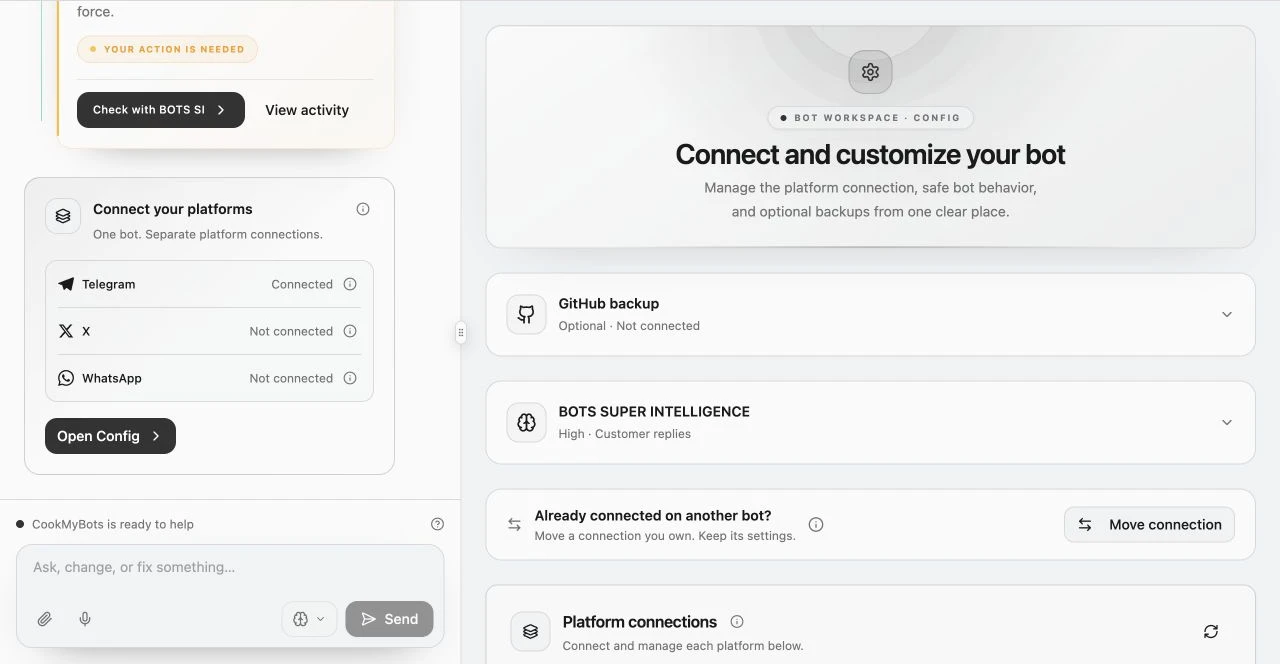
- Open the project’s Config area and choose Create with CookMyBots in the Telegram connection.
- Select Create my Telegram bot, then continue in Telegram.
- Review the proposed name and username in Telegram and approve the creation.
- Return to CookMyBots and wait for the connection status. Keep the page open or return later to check it.
- Follow the next publishing step. An eligible first validated version may begin publishing automatically after connection.
You remain the bot owner. This flow avoids copying a token. Cancelling closes a pending request without removing an existing connection. Check status before starting again. Use managed connection recovery where offered.
Cancel setup is available while waiting for Telegram approval. If CookMyBots cannot confirm an action, check setup status before starting another request. A session-expired message means you need to sign in again; a Telegram connection error may instead need the offered recovery or support. Follow the message for the service that needs attention.
Use an existing bot
Choose Use an existing bot if you already created it outside CookMyBots. Obtain its token from Telegram’s bot management flow and paste it only into the dedicated Existing Telegram bot token field. Select Connect existing bot and check the verified identity. The token is encrypted and is not displayed again.
An account already used by another deployed project can cause a connection conflict. Use the offered Move connection flow when you intend a handover. Review its effect first: moving a Telegram connection pauses the old project’s hosting, including its other adapters, and the old project needs reconfiguration and publishing before reuse.
Review profile and permissions
Where profile controls are available, edit the bot’s display details, commands, menu button, localization, and proposed administrator permissions. Save to Telegram to apply those changes. The username stays the same. A Mini App menu needs its secure published URL.
Group or channel owners approve actual access in Telegram. Test commands and member permissions in the chat.